How to verify your identity
A quick ID check keeps your account secure and raises your limits.
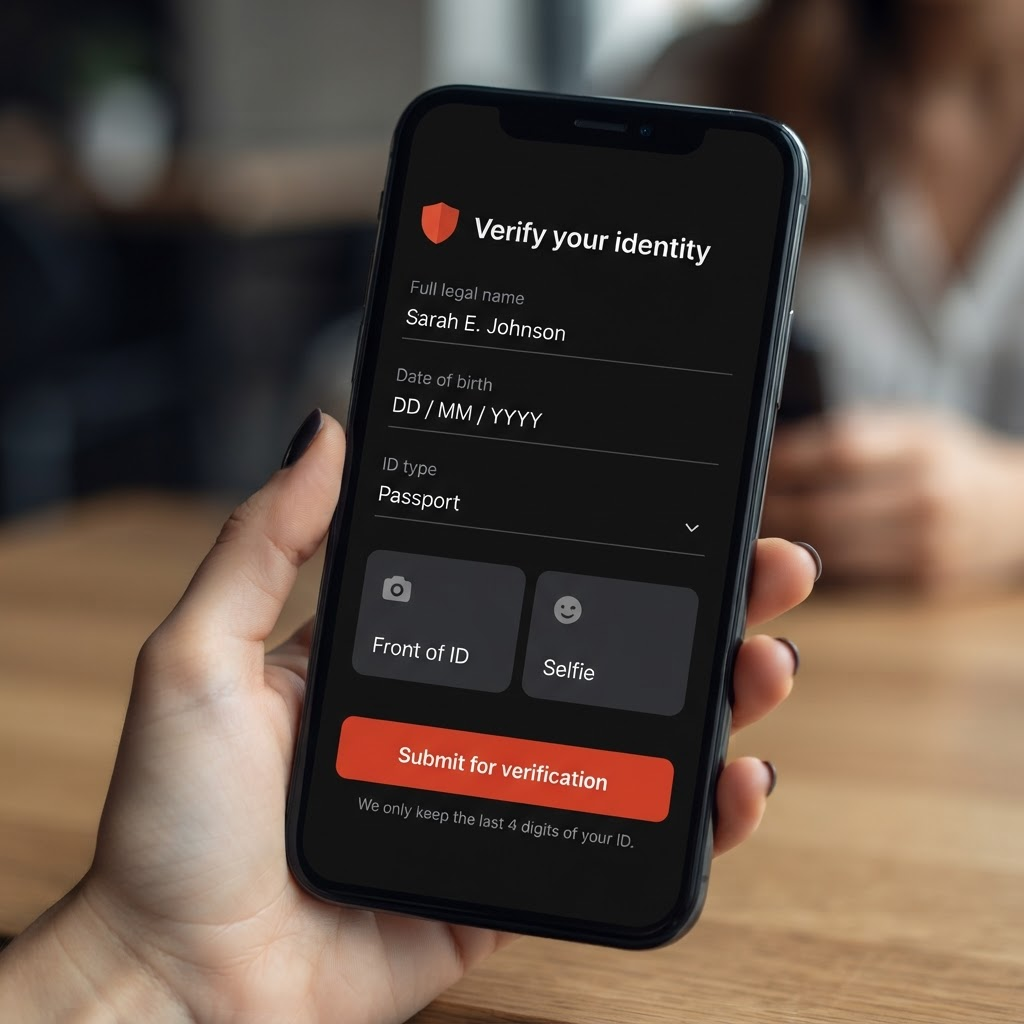
Verifying your identity keeps your wallet secure, meets financial regulations, and raises how much you can send and cash out.
Confirm your email first. ID upload unlocks once your email is confirmed.
Open Verify Identity and fill in your details. Enter your full legal name exactly as it appears on your ID, your date of birth, the issuing country, your ID type, and your ID number. We only keep the last 4 digits of that number on file.
Accepted IDs include a driver's license, a city or municipal ID (like IDNYC), a state ID, a passport, a national ID, or a residence permit.
Upload your documents. Add a photo of the front of your ID (the back is optional) and a selfie. Then tap Submit for verification.
We review most submissions within 1-2 business days and email you when it's approved.
Good to know: a city ID (like IDNYC) is enough to open your wallet and get paid, send, and spend. To later cash out to a US bank, our payments partner Stripe will ask for an SSN or ITIN — you enter that securely with Stripe, and ChowBanQ never stores it.
Posted by ChowBanQ